WORKING IN A REGULATED ENVIRONMENT?
Image Studio 21 CFR Part 11 Software includes enhanced security controls, user permissions, and audit trails required for regulated laboratories without disrupting your workflow.

Trusted image analysis for complete confidence in your results. Image Studio™ Software 6.2 — optimized for the full LICORbio ecosystem.

With 150,000 downloads worldwide, LICORbio Image Studio Software is a trusted standard for flexible, reproducible image acquisition and analysis. Its adaptable design provides greater control over analysis parameters in a single package, without manipulating the image. It has been optimized to support the complete LICORbio family of imagers.
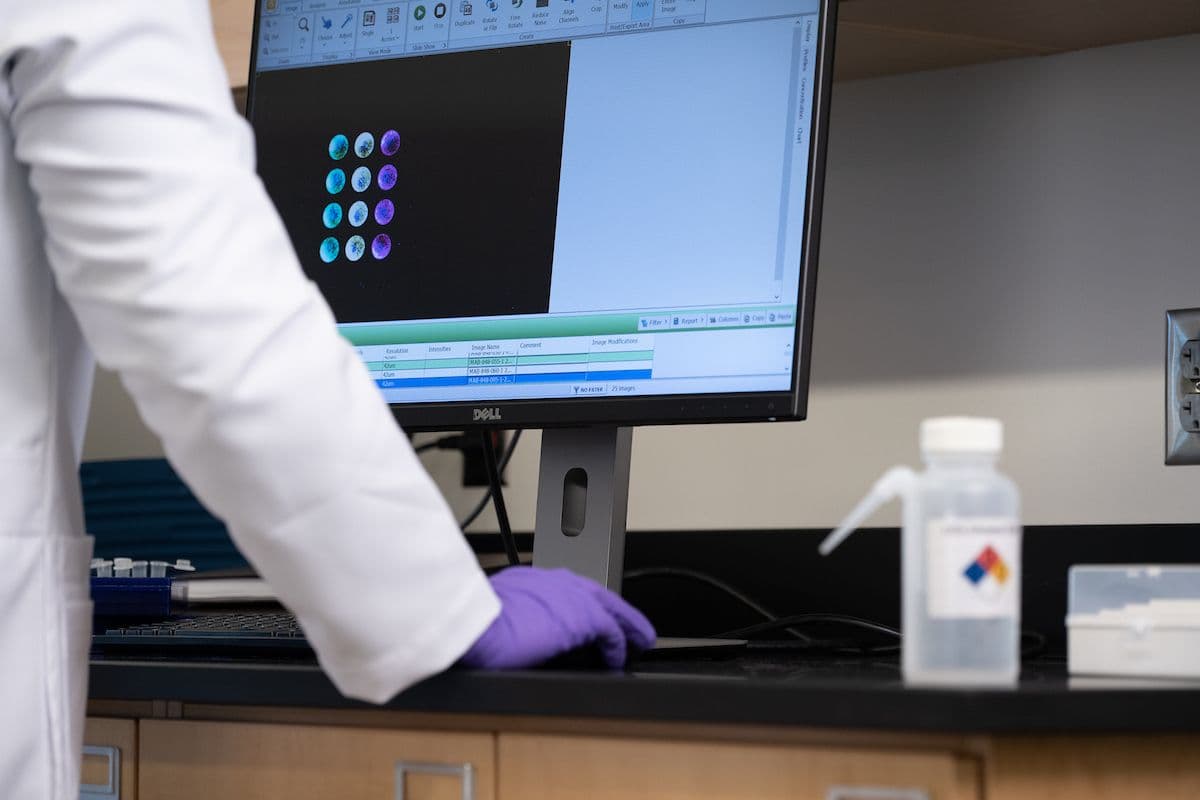
Capture, quantify, and export data in one streamlined platform.

With over a decade of adoption across labs globally, Image Studio Software is a proven standard for reproducible image analysis.
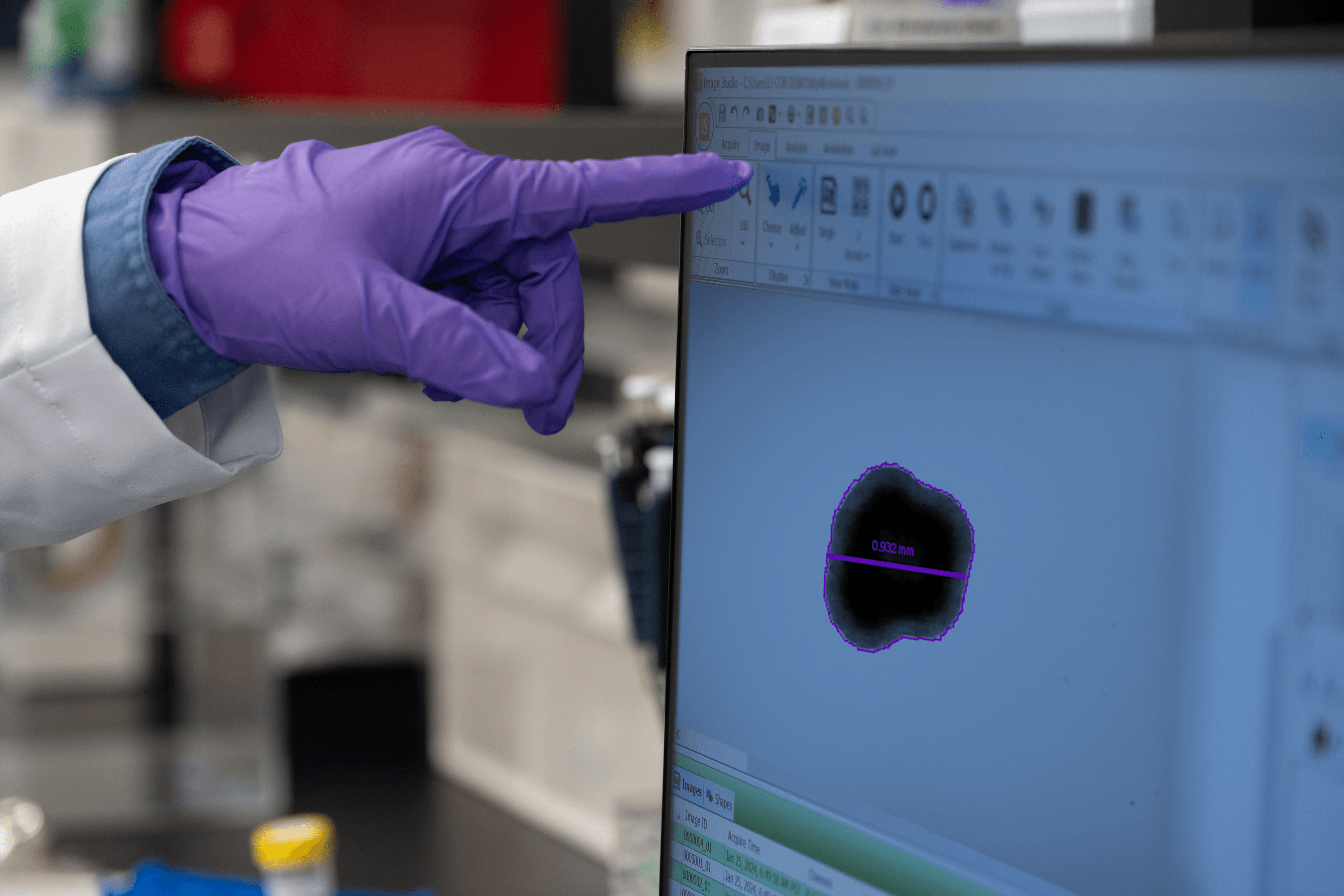
Available at no cost, Image Studio Software delivers the performance researchers expect with an intuitive, streamlined experience.
Save Morphology Analysis settings—including thresholds and other parameters—as reusable templates.
Analyze multiple acquisitions at once and automate repetitive workflows using saved templates.
See estimated scan times before you click start so you can optimize scan parameters and plan your workflow without trial and error.
Zoom to the same location simultaneously across multiple acquisitions—ideal for time-course imaging and plate well comparisons.
Analyze plate-based experiments using predefined templates that organize results by well position, enabling faster analysis and clearer data organization.
Overview: MTK Sec Bypass V12 MTK Sec Bypass V12 refers to a specialized utility tool used in the mobile repair and forensic community to circumvent specific security protocols on devices powered by MediaTek (MTK) chipsets. It is primarily designed to disable the "Bootloader Verification" (often called Secure Boot or DAA protection) and bypass "USB Debugging" restrictions without requiring the user to unlock the bootloader through official channels. The Technical Context: MediaTek Security To understand what this tool does, it is necessary to understand the security architecture of modern Android devices running on MediaTek SoCs (System on Chips).
Secure Boot (DA Verification): MediaTek devices use a specific file format known as a Download Agent (DA) to facilitate communication between the PC and the device during flashing. Manufacturers often encrypt or sign these DA files to ensure that only authorized software (like official OTA updates) can be flashed onto the device. This prevents users from installing custom recoveries or downgrading firmware. Protection States: Many MTK devices ship with the bootloader locked and "Verification" turned on. This means that even if a user puts the phone into BROM Mode (Boot ROM Mode—a low-level mode intended for emergency unbricking), standard flashing tools like SP Flash Tool will be rejected by the device's internal security checks.
Functionality of MTK Sec Bypass V12 The "V12" iteration of this tool typically automates complex exploit scripts to neutralize these protections. Its core functions include:
Disabling Bootloader Verification: The tool modifies the device's memory instructions during the boot process to ignore the signature checks. This allows the flashing of unsigned or custom images (such as Custom ROMs, Magisk patched boot images, or custom recoveries like TWRP). Bypassing DAA/SLA Auth: Many modern MTK devices require an "Authentication" handshake with the manufacturer's server before flashing is allowed. The Bypass tool often utilizes an exploit known as the mtk-bypass exploit (developed by the open-source community) to skip this authentication requirement. USB Debugging Bypass: In some scenarios, the tool is used to force-enable ADB (Android Debug Bridge) interfaces on locked devices, which is particularly useful for forensic data extraction or troubleshooting. Mtk Sec Bypass V12
How It Works (The Process) The utility typically operates in the BROM or Preloader stage, which is one of the lowest levels of hardware access.
Connection: The user disables the phone, holds specific hardware buttons (usually Volume Down), and connects it to a PC via USB. Exploitation: The tool sends a payload to the device's Boot ROM. Because the Boot ROM is read-only memory burned into the chip during manufacturing, it cannot be changed, but it can have vulnerabilities. The tool exploits these vulnerabilities to disable the "Execution Protection" or "Secure Boot" checks. Handshake: Once the protections are disabled, the device accepts unauthorized Download Agents. This opens a command channel that allows the user to read/write partitions using tools like SP Flash Tool or the Python-based mtk client.
Use Cases
Unbricking: It is the primary method for reviving "hard-bricked" MediaTek devices that no longer boot and cannot be recognized by standard flashing tools due to security locks. Customization: It allows enthusiasts to root devices or install custom ROMs on phones that do not have official bootloader unlocking methods provided by the manufacturer. Forensics: Law enforcement and digital forensics experts use these
MTK Secure Boot Bypass V12: A Deep Report Introduction MediaTek (MTK) is a popular System-on-Chip (SoC) manufacturer for Android devices. Their chips are widely used in various smartphones and tablets. Secure Boot is a mechanism designed to ensure that a device boots only with authorized and trusted software. However, researchers have discovered vulnerabilities in MTK's Secure Boot mechanism, allowing for bypasses. This report delves into the MTK Secure Boot Bypass V12, exploring its implications, technical aspects, and potential consequences. Background Secure Boot is a protocol that verifies the authenticity and integrity of software before allowing it to run on a device. It ensures that only authorized and trusted code, such as the bootloader, kernel, and firmware, can execute during the boot process. MTK's Secure Boot mechanism is designed to prevent malicious code from running on their devices. Vulnerability Overview The MTK Secure Boot Bypass V12 vulnerability allows an attacker to bypass the Secure Boot mechanism, enabling them to execute unauthorized code on the device. This vulnerability affects various MTK-powered devices, particularly those with chips from the MT6789, MT6757, and MT8167 families. Technical Details The bypass relies on a vulnerability in the Preloader, a critical component of the MTK Secure Boot process. The Preloader is responsible for verifying the bootloader's authenticity and integrity. However, due to a flawed implementation, an attacker can manipulate the Preloader to skip the verification process, effectively bypassing Secure Boot. Here's a high-level overview of the exploit:
Preloader Vulnerability : The attacker targets a vulnerability in the Preloader, which allows them to inject malicious code. Verification Bypass : The injected code manipulates the Preloader to skip the verification process for the bootloader. Unauthorized Code Execution : With Secure Boot bypassed, the attacker can execute unauthorized code on the device, potentially gaining control over the device. Overview: MTK Sec Bypass V12 MTK Sec Bypass
Implications and Consequences The MTK Secure Boot Bypass V12 has significant implications for device security:
Increased Vulnerability : Devices with this vulnerability are more susceptible to attacks, as malicious code can run on the device without being detected. Elevation of Privileges : An attacker can gain elevated privileges, allowing them to perform actions that would normally be restricted. Data Compromise : Sensitive data stored on the device may be compromised or stolen.
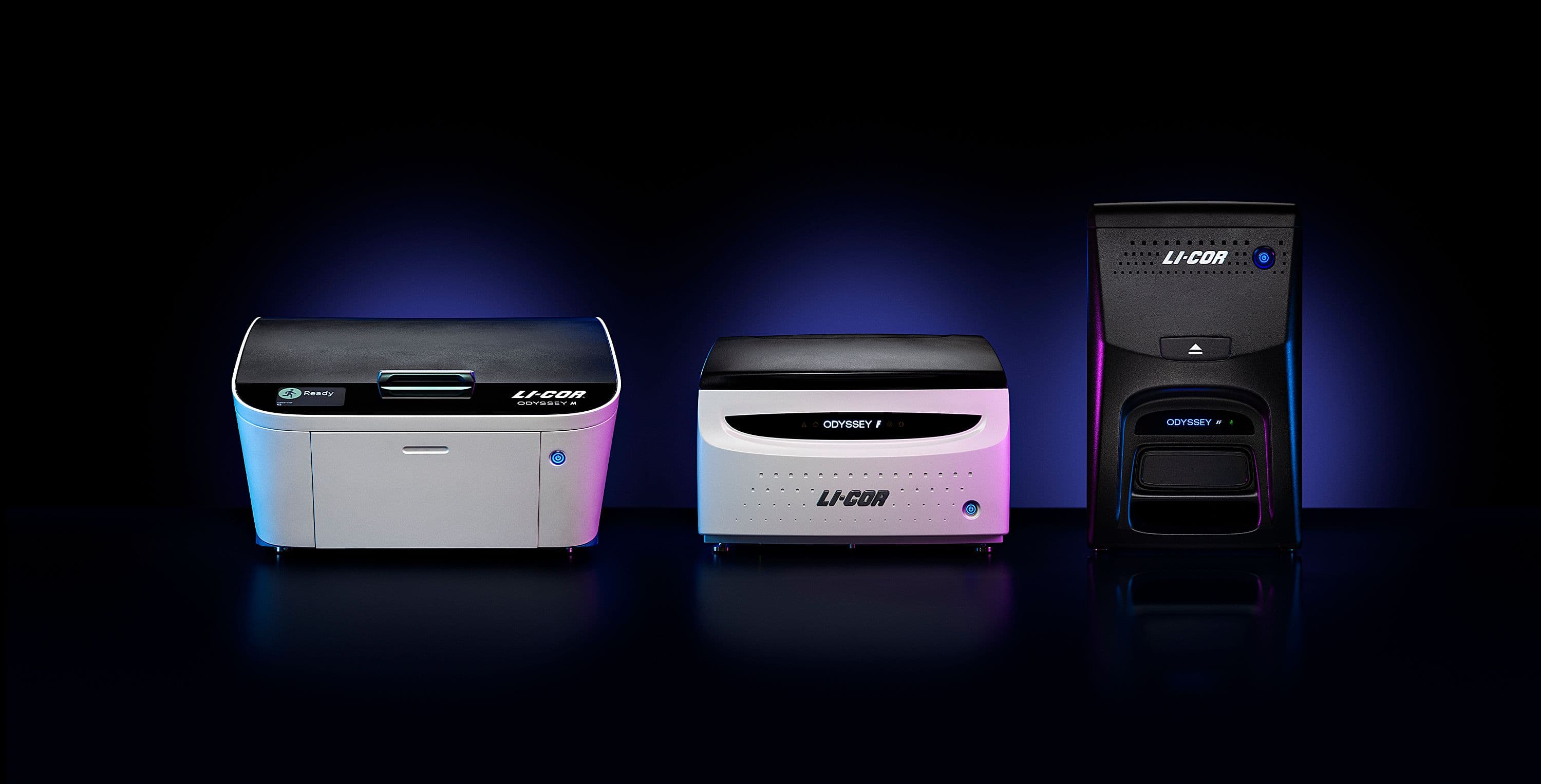
Fully optimized for LICORbio® instruments and compatible with Windows and macOS systems.
Image Studio 21 CFR Part 11 Software includes enhanced security controls, user permissions, and audit trails required for regulated laboratories without disrupting your workflow.
Download the free version of Image Studio Software by completing the form below.
Before You Upgrade to Image Studio Software 6.2: Image Studio Software 6.2 can open Work Areas created in earlier versions. Once opened in 6.2, those Work Areas cannot be reopened in earlier versions. Be sure to confirm compatibility with others in your lab before upgrading.
If you use Morphology Analysis or rulers, please review the Morphology Analysis updates before opening existing Work Areas in Image Studio Software 6.2.

Thank you for your request. You will receive an email shortly with a link to download Image Studio Software.
Note: If you do not receive your email within a few minutes, check your spam or junk folders.
We are unable to display the form due to your browser’s privacy settings. Please fill out the form here. If you need further assistance, please contact
When you complete this form, your information is collected by LICORbio (United States) and shared with LI-COR and its subsidiaries, LI-COR INC, LI-COR GmbH (Germany) and LI-COR Ltd (United Kingdom).LI-COR and its subsidiaries work closely together to provide scientific expertise and prompt responses to customers globally. Depending on your location, your information may also be shared with a distribution partner. For more details, view our Privacy Policy (www.licorbio.com/privacy) or contact .
 Powered by Bioz